
macOS menu bar · open source · v2.13.5
Every window
opens again.
Runic reads the quotas, credits, pace and reset windows of the AI tools you pay for, and keeps them in one quiet corner of your Mac.
- Session · 5-hour window62% usedresets in 2h
- Weekly · 7-day window41% usedresets in 99h
- Monthly · 30-day window18% usedresets in 590h
Illustrative windows, not account data · hover the dial to fast-forward
01 Read the whole window
A percentage without time is half an answer. Runic keeps the limit, the pace and the next reset side by side, so you can decide to keep going, switch tools, or take the break the window was about to give you anyway.
- Providers, read the way each one allows
- 35
- Themes
- 13
- Skins that recompose every page
- 7
- Runic accounts to create
- 0
02 Coverage
35 providers, read the way each one allows.
Some plans have windows, some keys have a balance, and some platforms expose no quota at all. Runic shows what each one actually reports, and nothing it doesn’t.
Subscription tools 9
Plans with windows that fill and reset.
- ClaudeOAuth → web → CLISession, weekly and model windows
- CodexOAuth → web → CLISession and weekly windows, credits
- CopilotDevice-flow tokenPremium and chat quotas
- CursorBrowser sign-inPlan usage, on-demand spend
- GeminiGemini CLI OAuthQuota
- AntigravityLocal language server
- DroidBrowser sign-in → stored tokens
- Muse Code (Meta)Local muse CLISubscription windows
- opencodeLocal session logsHistory only
Keys and balances 12
API keys, read for balances, credits and plan quotas.
- z.aiAPI keyQuota windows
- MiniMaxBrowser sign-inCoding-plan quota
- QwenAPI keyUsage, plan-dependent
- KimiAPI keyBalance, or plan windows
- Ollama CloudAPI keyMonthly credits or windows
- OpenRouterAPI keyCredits
- Vercel AIAPI keyCredits
- ClineAPI keyBalance and spend
- DeepSeekAPI keyBalance
- StepFunAPI keyBalance
- SiliconFlowBrowser sign-in or keyBalance
- TypeSafeAPI keyKey health only
Clouds and model platforms 14
No quota to read. Runic shows what the account can reach.
- AuggieAPI tokenDaily usage metrics
- Azure OpenAIAPI key and endpointDeployments
- Amazon BedrockAWS CLIFoundation models
- Vertex AIgcloud CLIModels
- CerebrasAPI tokenModels
- CohereAPI tokenModels
- FireworksAPI tokenModels
- GroqAPI tokenModels
- MistralAPI tokenModels
- PerplexityAPI tokenModels
- SambaNovaAPI tokenModels
- TogetherAPI tokenModels
- xAIAPI tokenModels
- Local LLMLocal runtime probeModels, logs when configured
From the provider notes at 9730f91. China-region accounts (Kimi, z.ai, MiniMax, Qwen, StepFun, SiliconFlow) are separate slots of the same provider. The full coverage guide →
03 One reading, three surfaces
The interface changes. The reading doesn’t.
- 01 / macOS
The quiet glance.
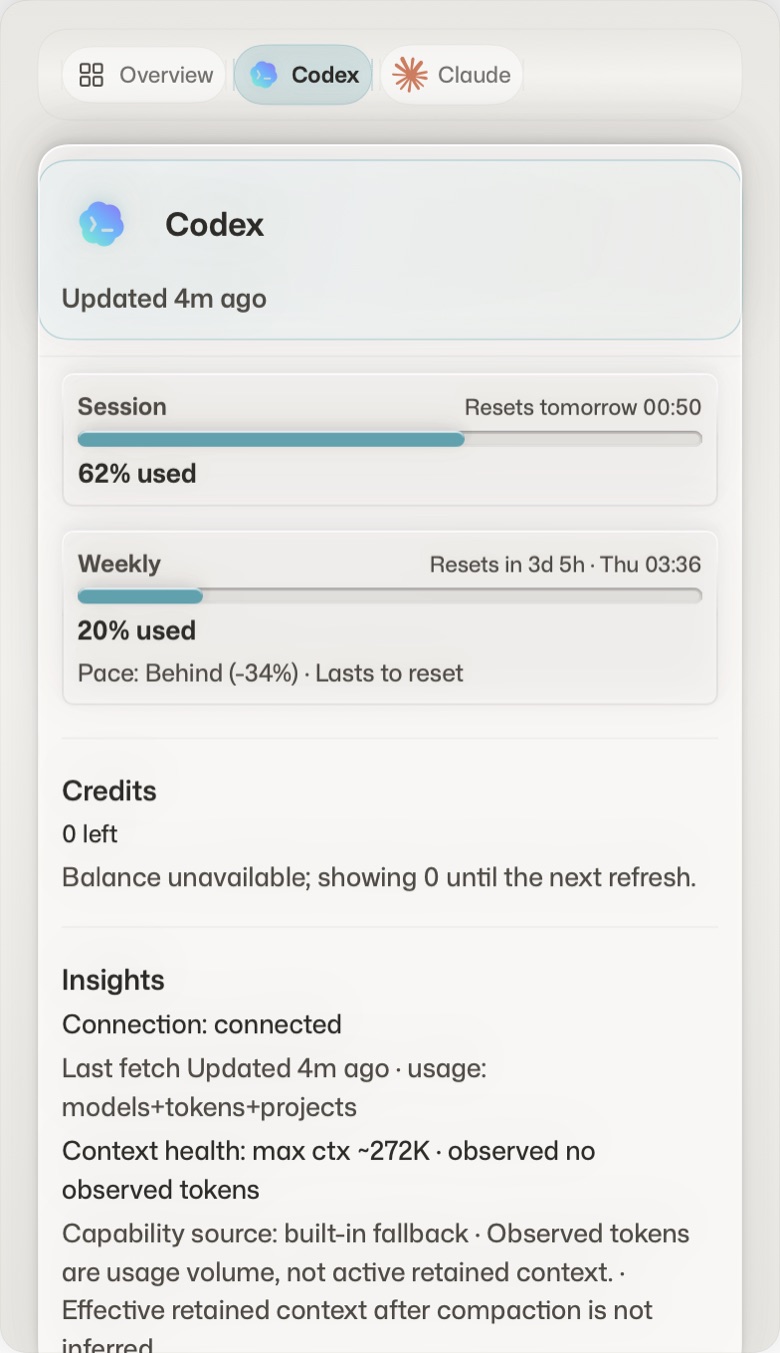
A native menu bar app. Quotas, credits and the next reset, where you already look.
How the panel is drawn →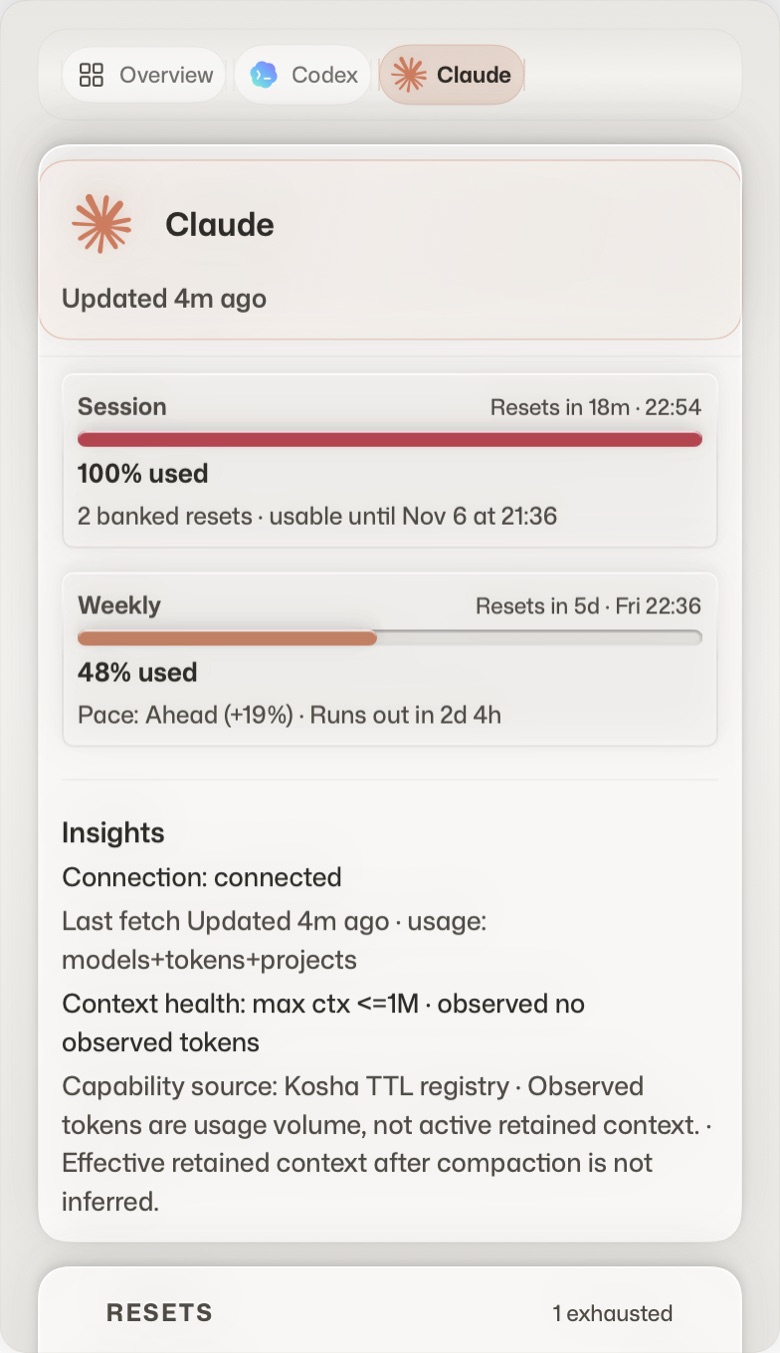
- 02 / Terminal
The direct reading.
The same numbers in a shell, a script or CI, as text or JSON.
The CLI guide →$ runic --provider claude Claude Code 2.0.58 (web) Session: 88% left Resets tomorrow at 1:00 AM Weekly: 63% left Resets Sat at 6:00 AM Sonnet: 95% leftSample output from the CLI docs - 03 / MCP
The shared context.
A local, read-only server, so an assistant can check capacity before it promises more work.
The MCP guide →"runic": { "command": "/Applications/Runic.app/Contents/Helpers/RunicCLI", "args": ["mcp", "serve"] } runic_limits quota windows, resets, credits runic_health last refresh, data age, sourcesClient config and the two built-in tools
04 Different material, same instrument
Seven ways to draw the same number.
13 themes, drawn by 7 skins. A theme changes the colours; a skin recomposes every page of the panel. Shown with the app’s demo data.
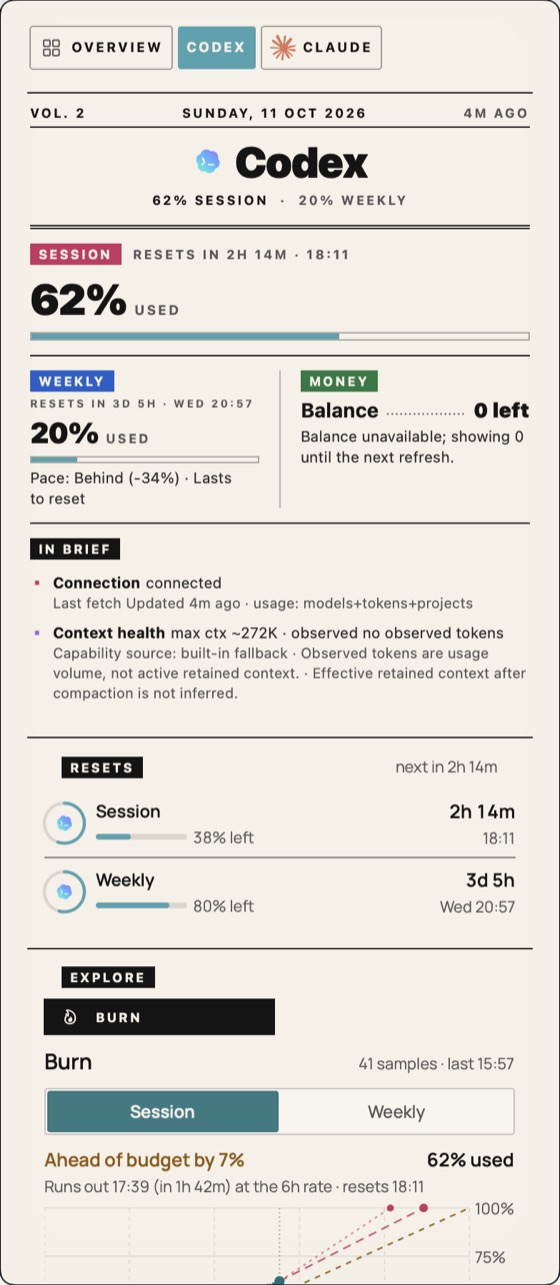
Gazette
A printed broadsheet: masthead, lead story, columns, pull quote, dotted leaders.
- Faces
- Fraunces · Manrope
- Render
- The app’s own view, demo data
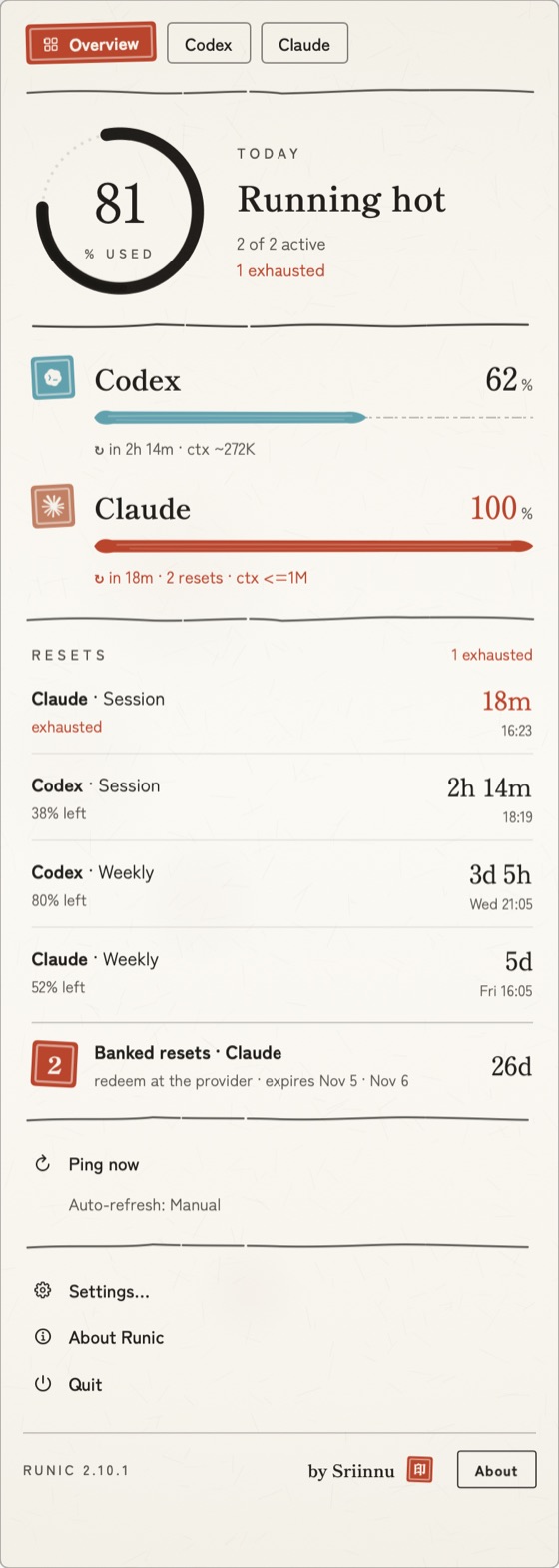
Sumi
Ink on washi: hanko seals, brush-stroke gauges, an ensō for the day’s average.
- Faces
- Shippori Mincho · Zen Kaku Gothic New
- Render
- The app’s own view, demo data
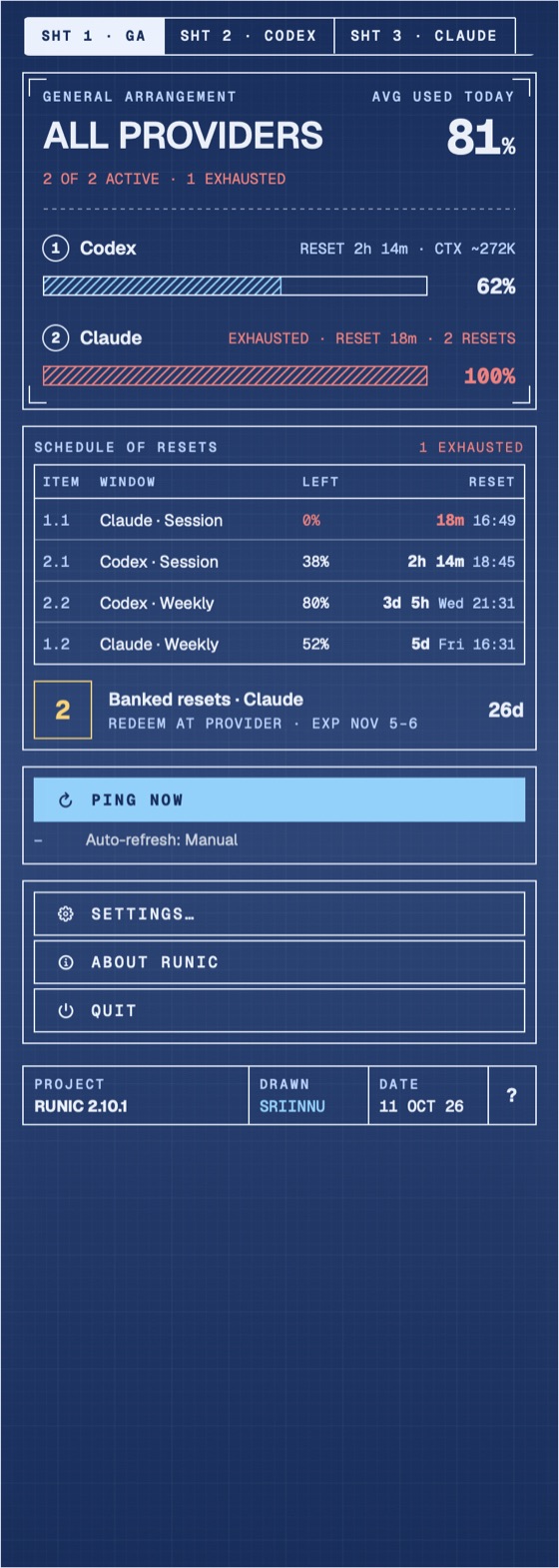
Blueprint
An engineering sheet: dimensioned bars, 45° hatching, callouts, a title block.
- Faces
- Geist · Geist Mono
- Render
- The app’s own view, demo data
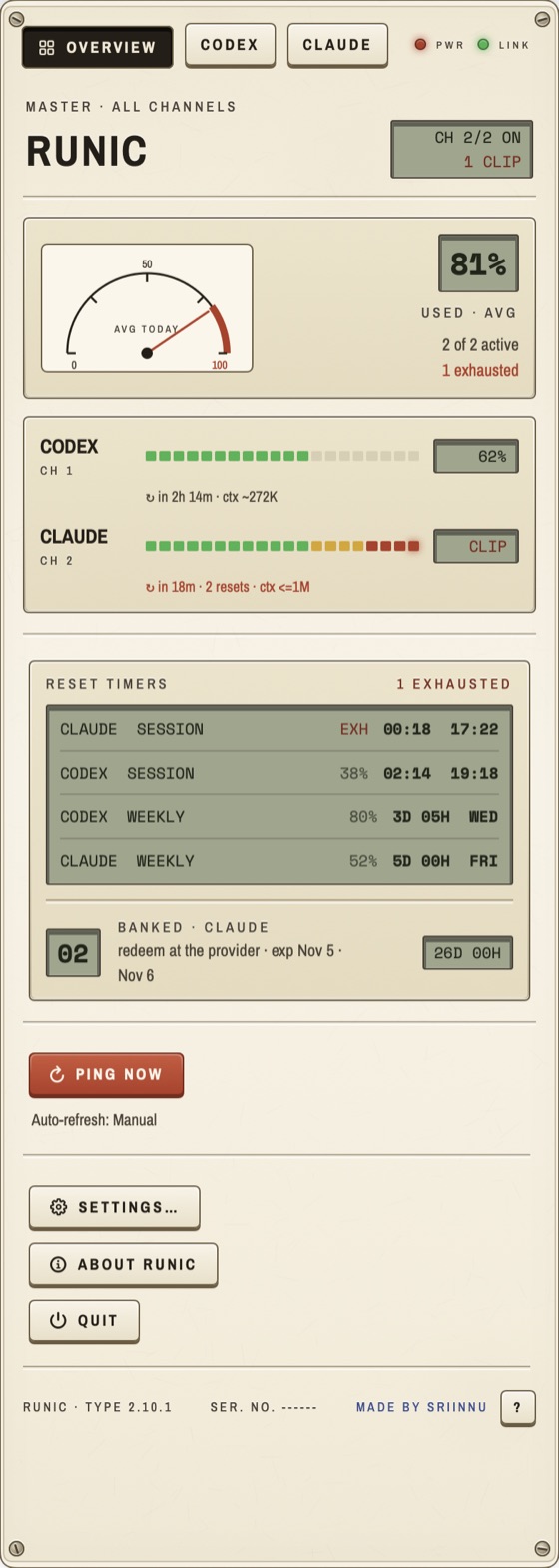
Retro
A 1970s bench instrument: VU meters, LCDs, keycaps that press in, corner screws.
- Faces
- Archivo Narrow · Space Mono
- Render
- The app’s own view, demo data
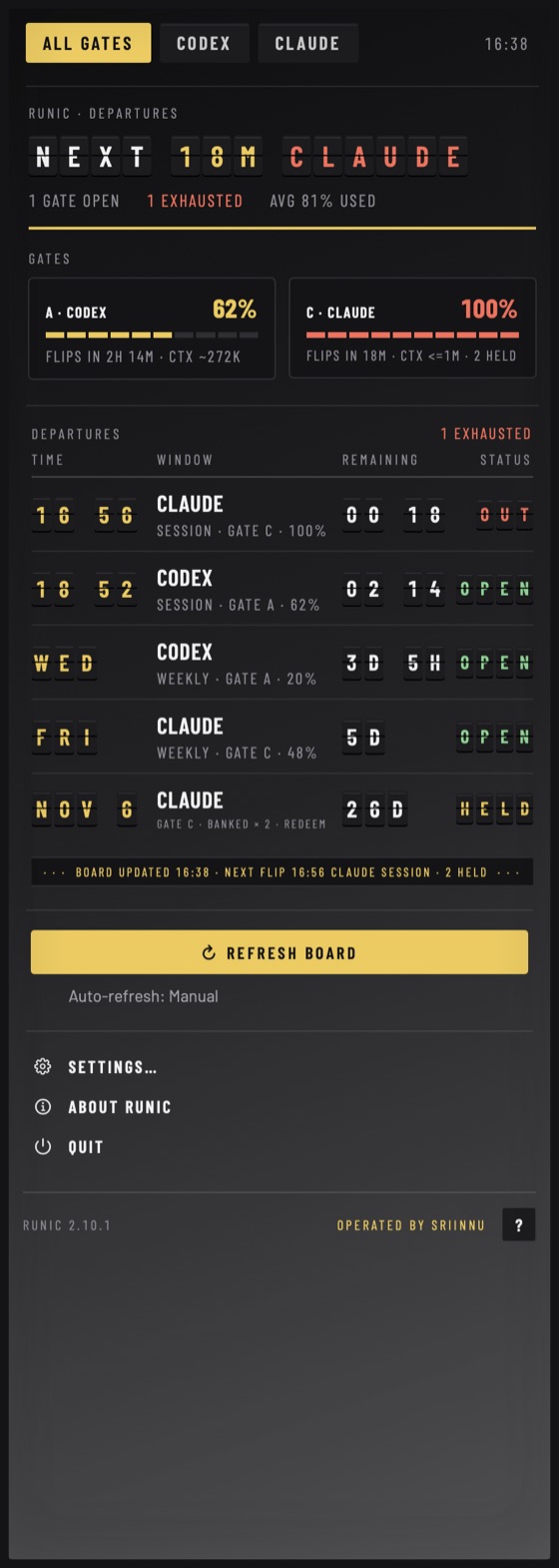
Departures
A split-flap board. Every reset is a departure with a gate, a time and a status.
- Faces
- Barlow · Barlow Condensed
- Render
- The app’s own view, demo data
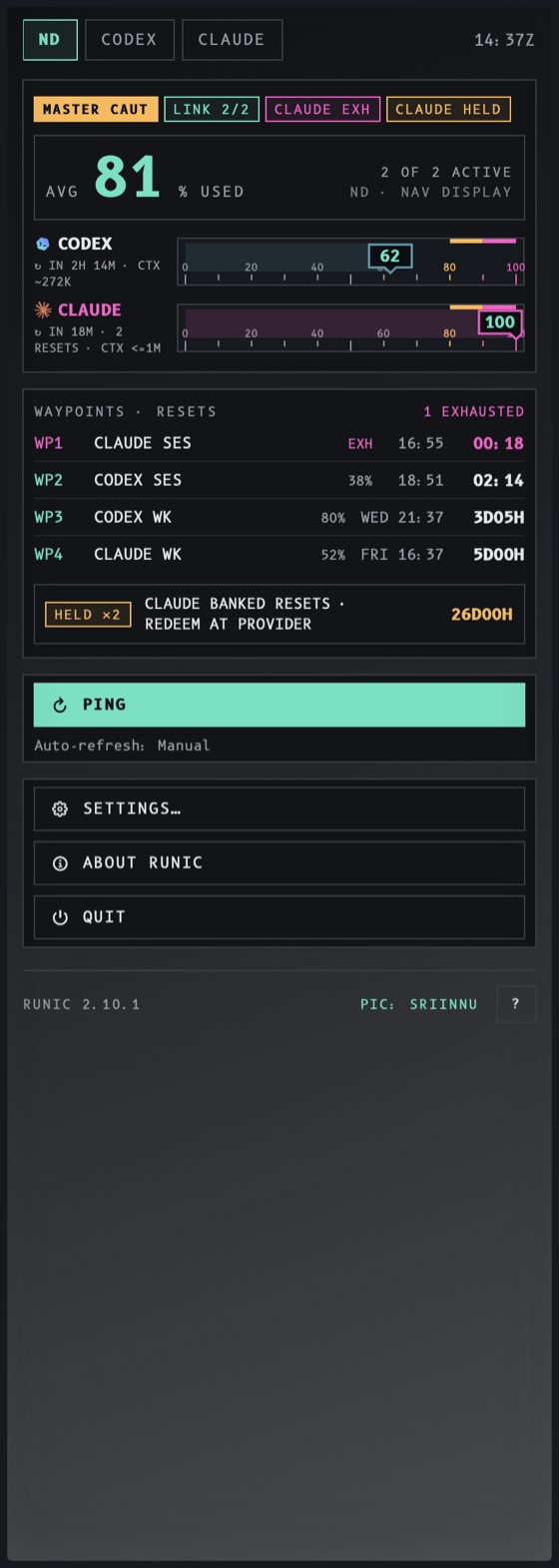
Flight deck
An avionics primary flight display. Usage is a tape; pace is the attitude indicator.
- Faces
- B612 · B612 Mono
- Render
- The app’s own view, demo data
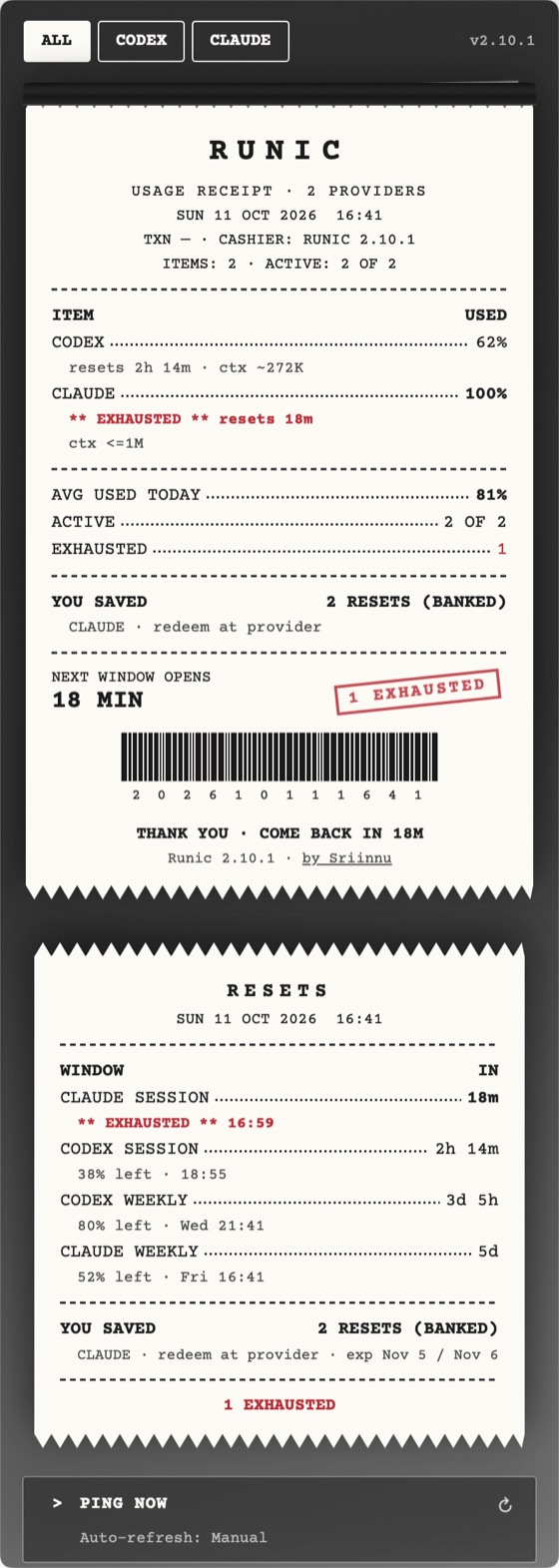
Receipt
Thermal paper. Every ping prints a receipt with line items, a stamp and a barcode.
- Faces
- Courier Prime
- Render
- The app’s own view, demo data
05 A local instrument
Close to the source. Clear about the boundary.
No product analytics, no telemetry, no crash reporting. Network access is limited to what the enabled features need.
- 01 / On your Mac
Settings and local state.
Runic does not need an account of its own. Credentials follow the mechanism each provider documents, and the usage history is kept on this Mac.
- 02 / At the provider
The reading comes from somewhere.
Provider interfaces can require network requests. The provider notes say where every number comes from and what leaves the machine to get it.
- 03 / When a source fails
Uncertainty stays visible.
Unavailable and stale data stay distinct from a fresh reading. A blank is more useful than invented confidence.
06 Runic 2.13.5
Install it your way.
For macOS 14 or later.
- 01
Homebrew
The native app, kept up to date by the cask.
brew install --cask sriinnu/tap/runic - 02
GitHub release
Download the signed build and read the change notes.
Open the latest release ↗ - 03
From source
Clone it, read it, build it yourself.
Build instructionsgit clone https://github.com/sriinnu/Runic.git
07 Field notes
The working knowledge.
8 guides from the wiki and 58 reference notes from the repository, checked against the same commit.
- 01Architecture→
- 02Runic CLI→
- 03Claude→
- 04Contributing→
- 05Runic MCP→
- 06Providers→
- 07Release and ops→
- 08Themes and skins→
Repository reference 58 notes
- Runic Docs
- Architecture overview
- Auggie provider
- Azure OpenAI provider
- Amazon Bedrock provider
- Cerebras provider
- Claude provider
- Runic CLI
- Cline provider
- Codex provider
- Cohere provider
- Copilot provider
- DeepSeek provider
- Runic Design System
- Accounts and windows
- Accounts, hands on (phase 2, after PRs 1–3)
- Design Notes
- Runic Menubar Icon - Size Specifications
- Fireworks provider
- Gemini provider
- z.ai (China) provider
- Groq provider
- Icon pipeline (macOS .icon → .icns without Xcodebuild)
- Integrations
- Kimi (China) provider
- Kimi provider
- Local LLM provider
- Runic MCP
- MiniMax (China) provider
- Mistral provider
- Muse Code (Meta) provider
- Ollama Cloud provider
- opencode provider
- OpenRouter provider
- Packaging & signing
- Perplexity provider
- Provider authoring guide
- Providers
- Qwen (China) provider
- Qwen provider
- Refresh loop
- Runic Homebrew Release Playbook
- Release process (Runic)
- SambaNova provider
- SiliconFlow (China) provider
- SiliconFlow provider
- Sparkle integration
- Status checks
- StepFun (China) provider(s)
- StepFun provider(s)
- Together provider
- TypeSafe provider
- UI & icon
- Vercel AI provider
- Vertex AI provider
- Widgets
- xAI provider
- z.ai provider